Chrome autofill can now fill in order numbers and flight bookings from your Gmail
Google said on Wednesday, October 28, that Chrome autofill can now suggest details pulled from your Gmail inbox, such as order numbers, tracking information and flight bookings, as you fill out web forms. The feature saves a trip to your inbox, but it only works for people who have opted into Gemini's Personal Intelligence feature.
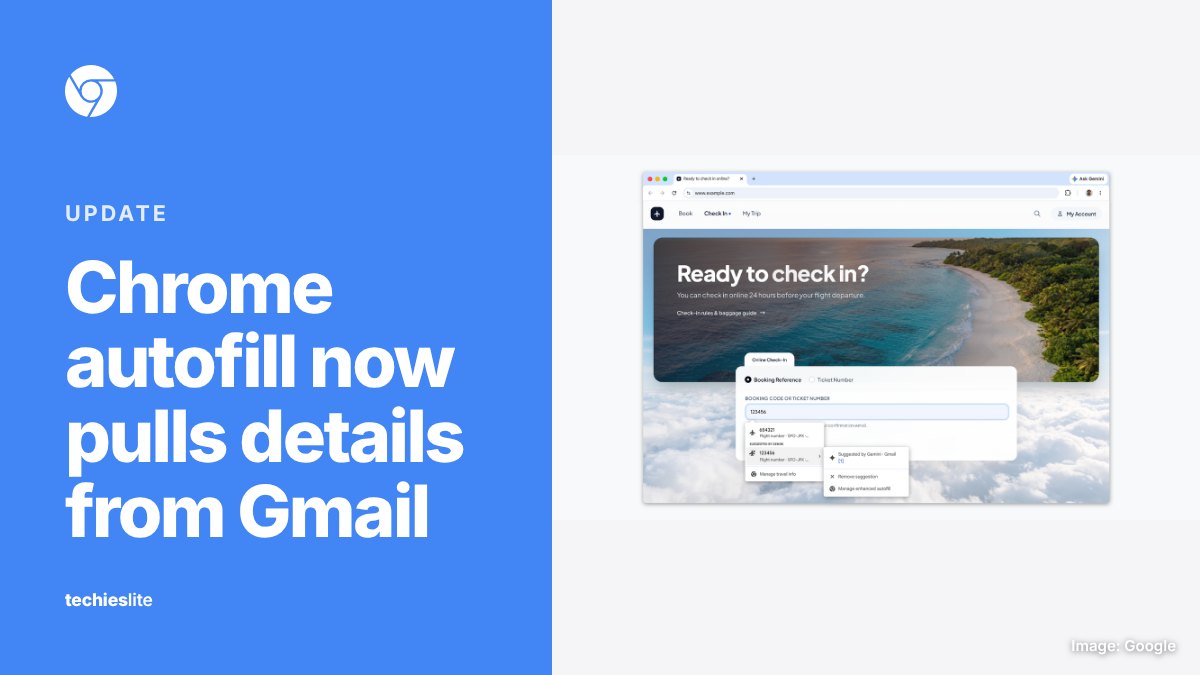
What's new
Chrome's autofill has long filled in the basics: your name, address and card number. Google says its enhanced autofill feature now goes further. It uses Gemini with what Google calls Personal Intelligence to find details in your email and offer them in the right field.
Google's help page gives flights, vehicles and orders as examples of the Gmail data it can use. So if an airline's check-in page asks for a booking code, Chrome can offer the code from your confirmation email. Suggestions that come from Gemini carry the Gemini spark icon in the autofill dropdown.
Who gets it and when
Google says the feature started rolling out on October 28 in the US on desktop, Android and iOS. According to Chrome's help page, it's open to Gemini in Chrome users in the US who are 18 or older and have opted into Gemini Personal Intelligence. If you haven't turned Personal Intelligence on, nothing changes for you.
How to check or turn it off
Google says sensitive data is encrypted and that you can control whether enhanced autofill is on and what it can access. On desktop, Chrome's help page lists these steps:
- Open Chrome and select More, then Settings.
- Select Autofill and passwords.
- Under Autofill settings, select Enhanced autofill.
- Turn Find and fill with Gemini on or off.
You can also see where a suggestion came from. Hover over it in the dropdown and select the link, and Chrome opens the original email in a new tab. The same menu has a Remove from Chrome option. Removing a suggestion doesn't delete the email, but deleting the email removes the suggestion. You can't edit Gmail details inside Chrome.
What it means for you
If you check in for flights or track packages often, this can save some tab switching and copying codes by hand. It also means Chrome draws on your Gmail data to make those suggestions, so decide whether you're comfortable with that before you opt in. If you'd rather keep your email out of your browser's autofill, the toggle above turns the feature off.
For now, the feature is limited to adults in the US who use Gemini in Chrome with Personal Intelligence turned on. Everyone else keeps the standard autofill they have today.