Cloudflare spend limits can now pause Workers when a bill hits your cap
Cloudflare launched Spend Management in beta on Friday, November 13, adding spend limits that automatically pause Workers and Durable Objects once a pay-as-you-go account reaches a dollar amount the customer sets. Until now, Cloudflare's usage notifications and budget alerts for these products could only warn developers about rising costs, so a traffic spike or a runaway bug could still turn into a surprise bill.
What Cloudflare launched
Spend Management is open to any pay-as-you-go customer and starts with 2 products: Workers and Durable Objects. Cloudflare says more products will follow but hasn't given dates.
According to the company, spend controls have long been one of the most requested features on its developer platform, which it says more than 10 million developers now use. Paid plans already had usage notifications and budget alerts. In the announcement, Cloudflare acknowledges the gap: "informing is not the same as controlling."
Developers who route AI requests through Cloudflare's AI Gateway can pair the new limits with its existing per-user and per-model budgets for Workers AI and other AI providers.
How the limits work
Limits are set per product. In the dashboard, they live under Manage Account, then Billing, then Spend limits. Each product gets a spending limit, an optional email address for notifications and one or more alert thresholds. The same settings are available through Cloudflare's REST API and its cf command-line tool. Cloudflare's API reference says thresholds are set in US cents and that an account can have only 1 active blocking policy per product.
When spend reaches the limit, Cloudflare pauses the product automatically and rejects new invocations. For Workers, that includes Cron Triggers and Queue consumers. Static assets keep being served. The sample alert email in Cloudflare's post says visitors to a paused Worker see an error page.
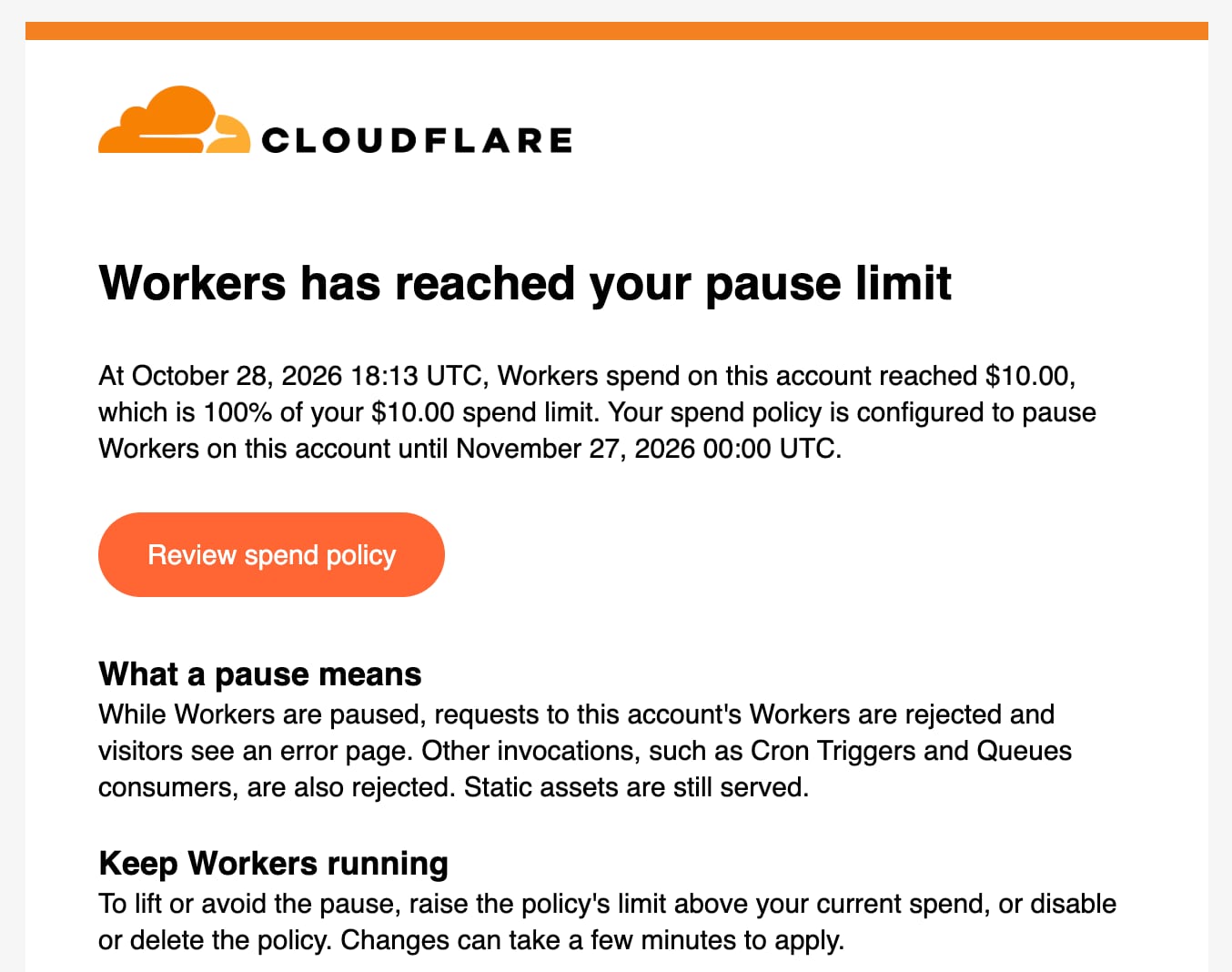
There are 3 ways to get a paused product running again: raise the limit above what the account has already spent this billing cycle, turn off the blocking policy (or delete it) or wait for the next billing cycle. Cloudflare notes that a cycle starts on the day the paid subscription began, not on the 1st of the month. A subscription that started October 10 runs from about October 10 to November 10.
The dashboard shows each product's spend for the current cycle, updated within 10 minutes, along with an audit log of who changed a limit and when a cap was hit.
A cap isn't an instant cutoff
Cloudflare's own description shows some lag. Spend figures can run up to 10 minutes behind, and caps spread across Cloudflare's network asynchronously rather than in the path of each request. Cloudflare says it hopes to shorten the gap between measuring spend and enforcing a cap to under a minute. It also plans budgets for individual apps and AI agents, so a single runaway task could be paused without interrupting unrelated apps on the account.
What it means for you
If you run a side project, a small business site or a hobby app on the Workers Paid plan, which starts at $5 a month, this gives you a way to put a ceiling on the bill. A sensible setup is an alert threshold well below your limit, so you hear about a spike before anything pauses, and a hard limit you can live with.
Think about what a pause means before you turn it on. A capped Worker stops serving dynamic requests until you act or the cycle resets, so for a store or a login page, an outage could cost more than the bill. For many small projects, a predictable bill is the better trade. For background on pay-per-use cloud services, see our explainer on what serverless computing is.